Stop rebuilding the same job
Vectors, router operations, laser operations, previews, and version history live together in one file instead of being exported between apps.
Makivo 1.0.0 is out now
Makivo is CAD/CAM for hobby and small-shop CNC routers and diode lasers, built for the iPad in your hand and the Mac on your bench. Draw or import a design, pick the bits or laser settings, preview the cut in 3D, and send the job to the machine. The same account also runs on Windows and Linux.
iPad
The shop-floor app. Coming to the App Store. iPadOS 18+.
Mac
The native desktop app. macOS 15+, Apple silicon.
Windows
Windows 10 and 11. No new PC needed.
Linux
The same workspace. .deb and .rpm, GPG-signed.
Built for real shops
Makers lose time moving artwork between a design tool, CAM software, a laser app, and a separate sender. Makivo keeps the whole path from idea to motion in one project.
Vectors, router operations, laser operations, previews, and version history live together in one file instead of being exported between apps.
Take an iPad or a Mac to the machine. Windows and Linux run the same job beside it. Make the change where the work happens, then jog, zero, probe, and run.
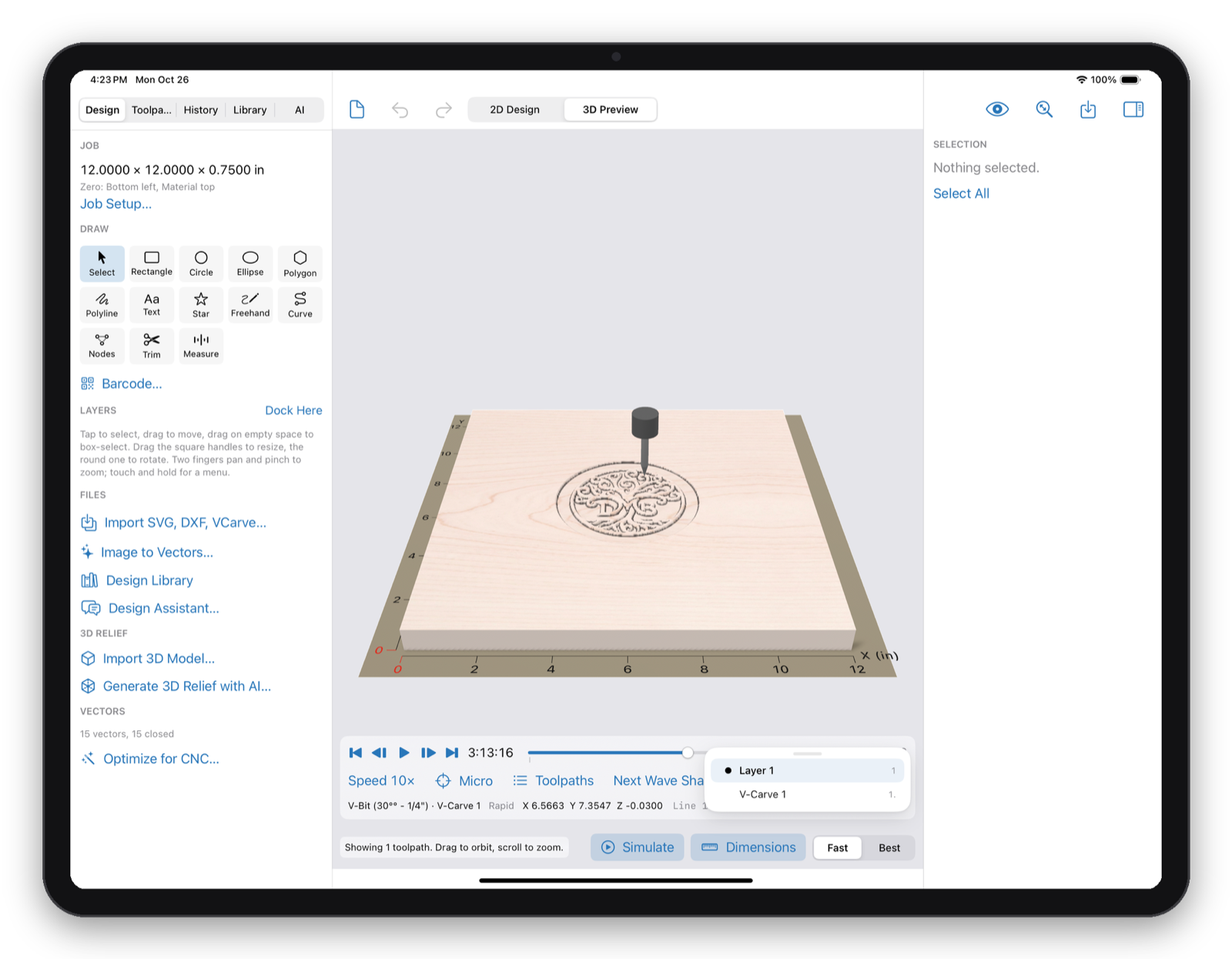
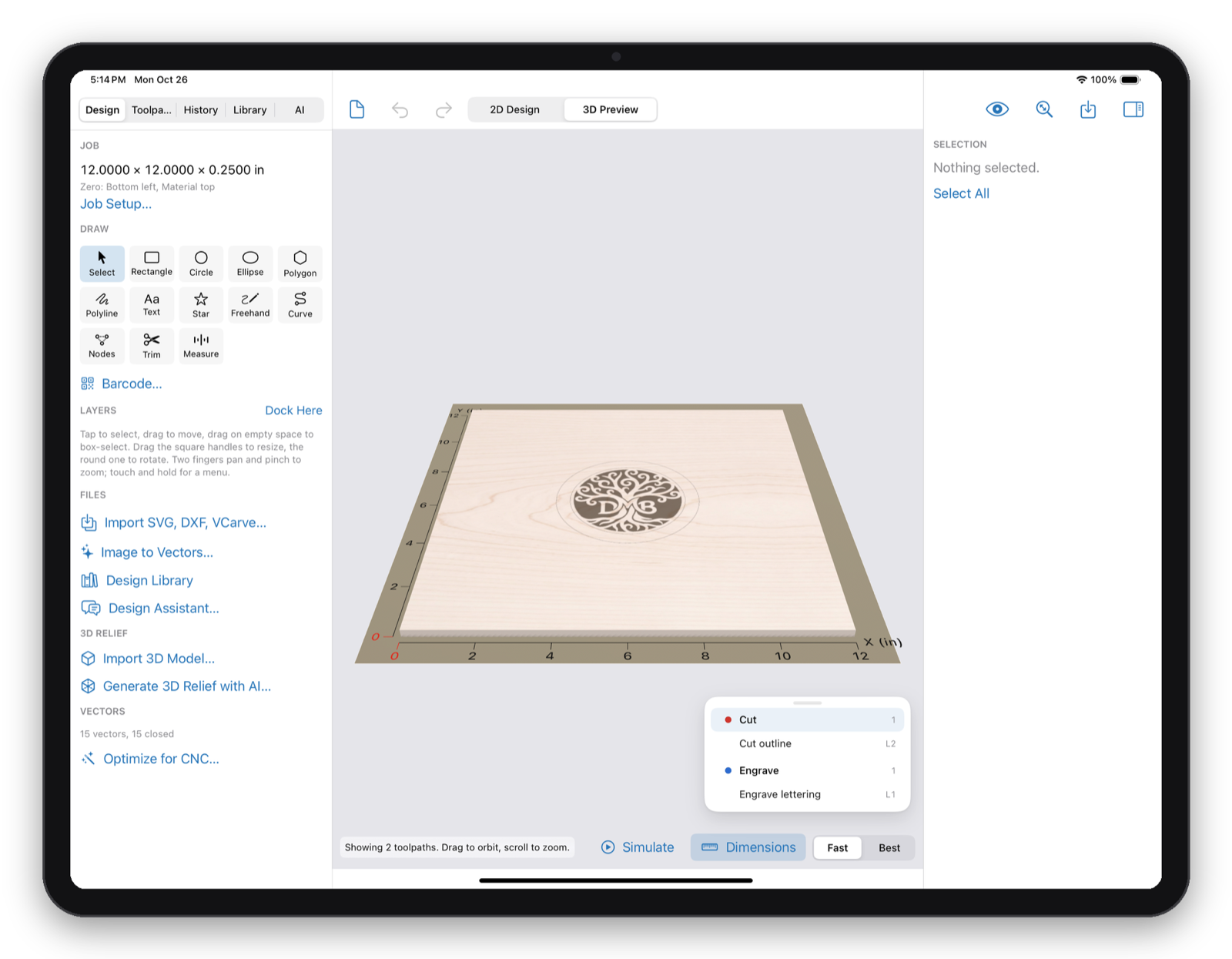
Real bit shapes, wood species, and Simulate show what the machine will do. The bit advisor catches the wrong bit before you waste material.
What you get
Every feature below has been run on real routers and lasers, not just in a demo.
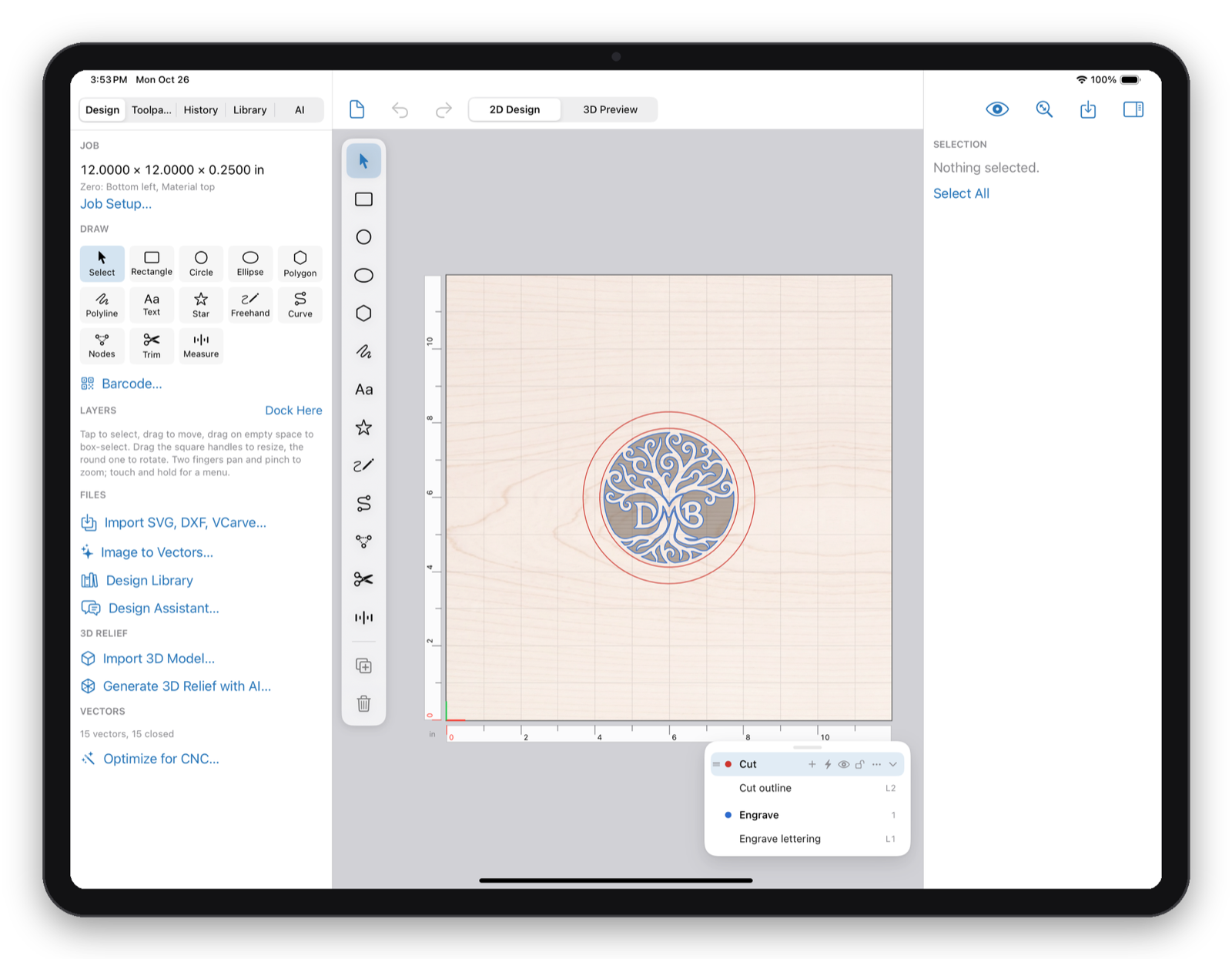
Draw with shapes, freehand, curves, text on a path, and node editing. Weld, subtract, offset, array, nest, measure, and align.
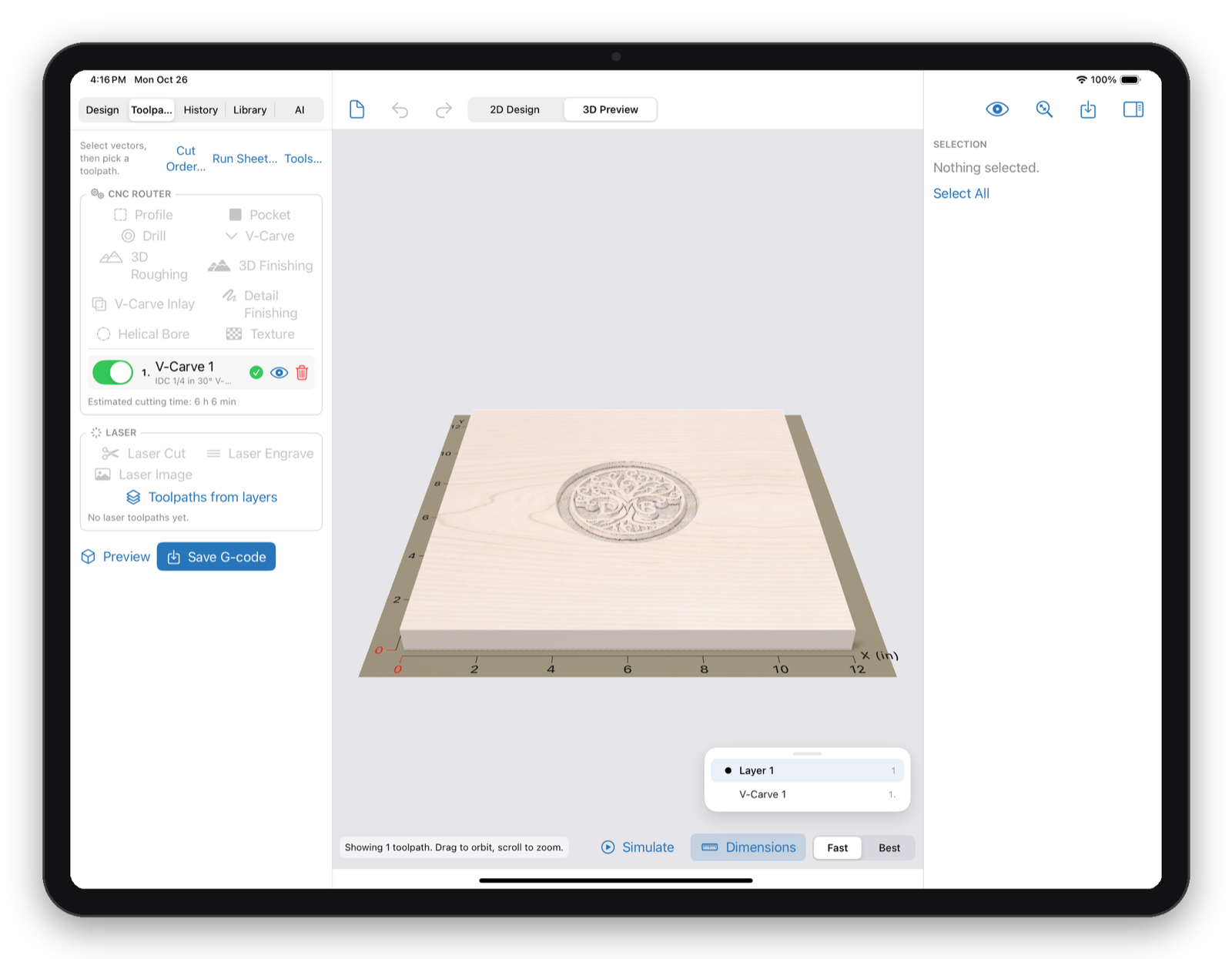
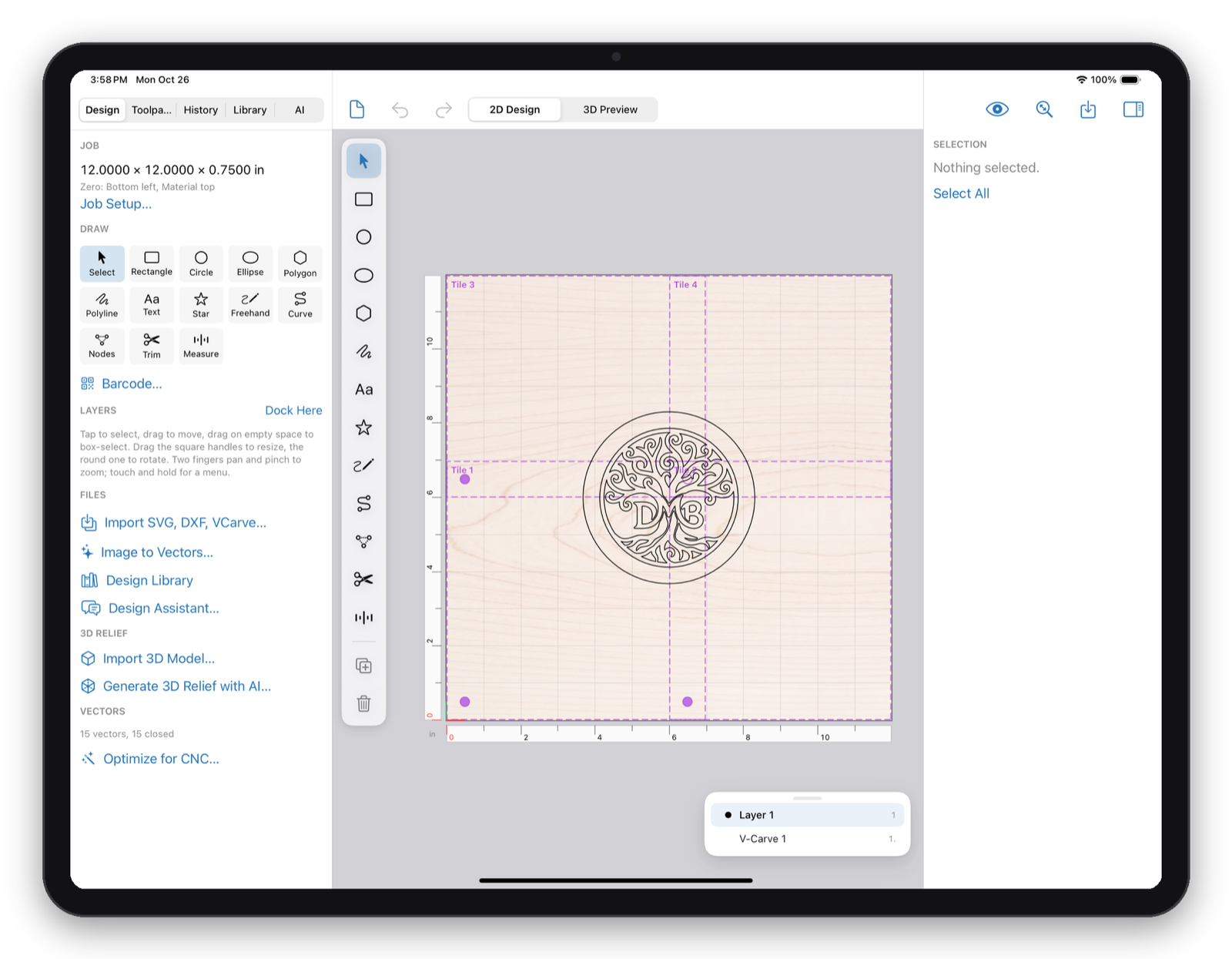
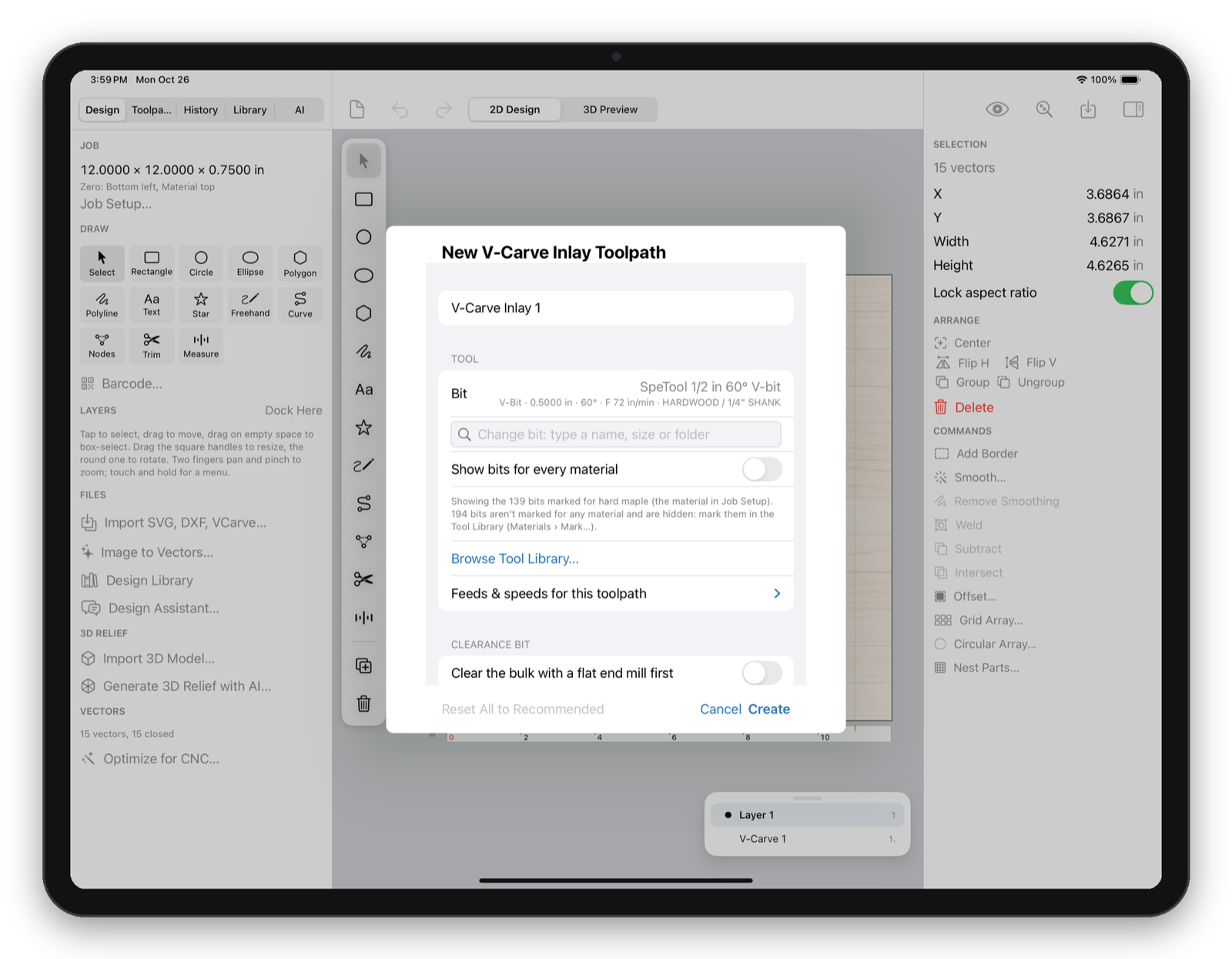
Profile, pocket, drill, V-carve, V-carve inlay, 3D roughing and finishing, textures, and emboss or engrave on reliefs.
Cut, engrave, and image toolpaths with dither, halftone, and greyscale modes, all in the same project as your router work.
CNC Control and Laser Control: jog, set origin, probe Z, frame, start, pause, and resume without leaving the app.
AI, on your terms
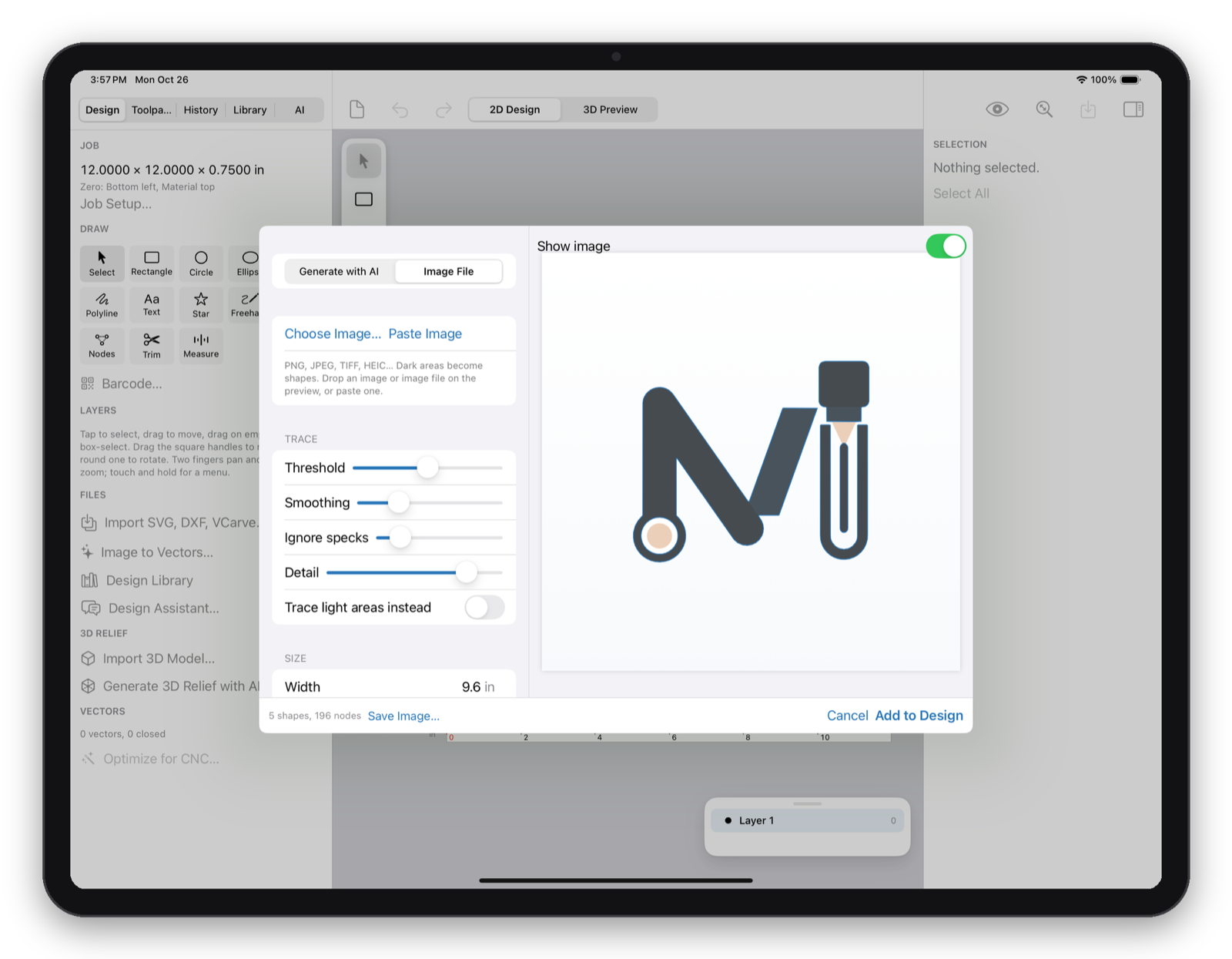
Describe the sign, ornament, or inlay you want. The Design Assistant creates carvable vectors right in your project, suggests toolpaths for you to confirm, turns generated artwork into clean outlines, and builds 3D relief depth maps.
See it on every screen
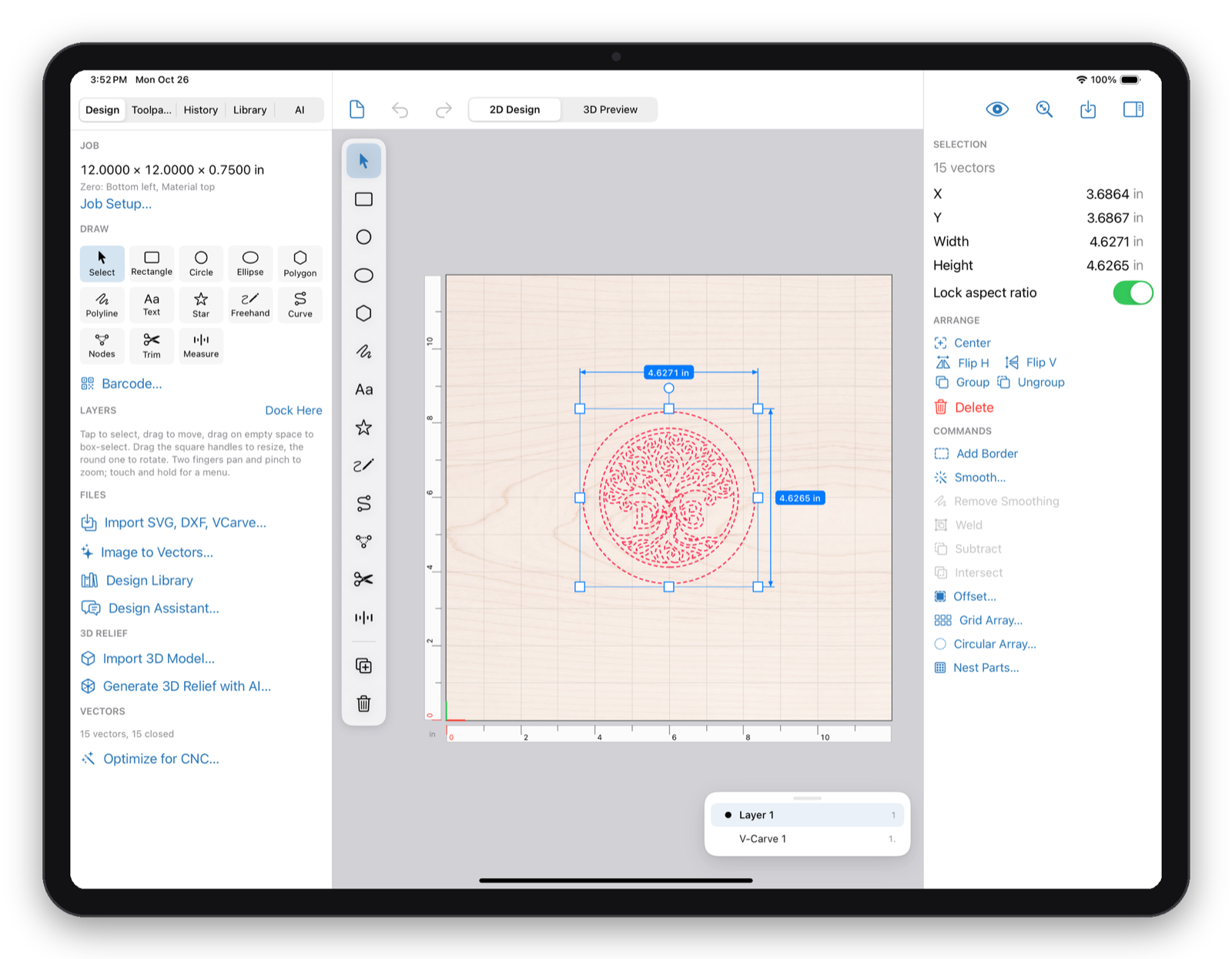
Real captures from Makivo 1.0.0 on iPad. The same workspace, files, and account run on Mac, Windows, and Linux.
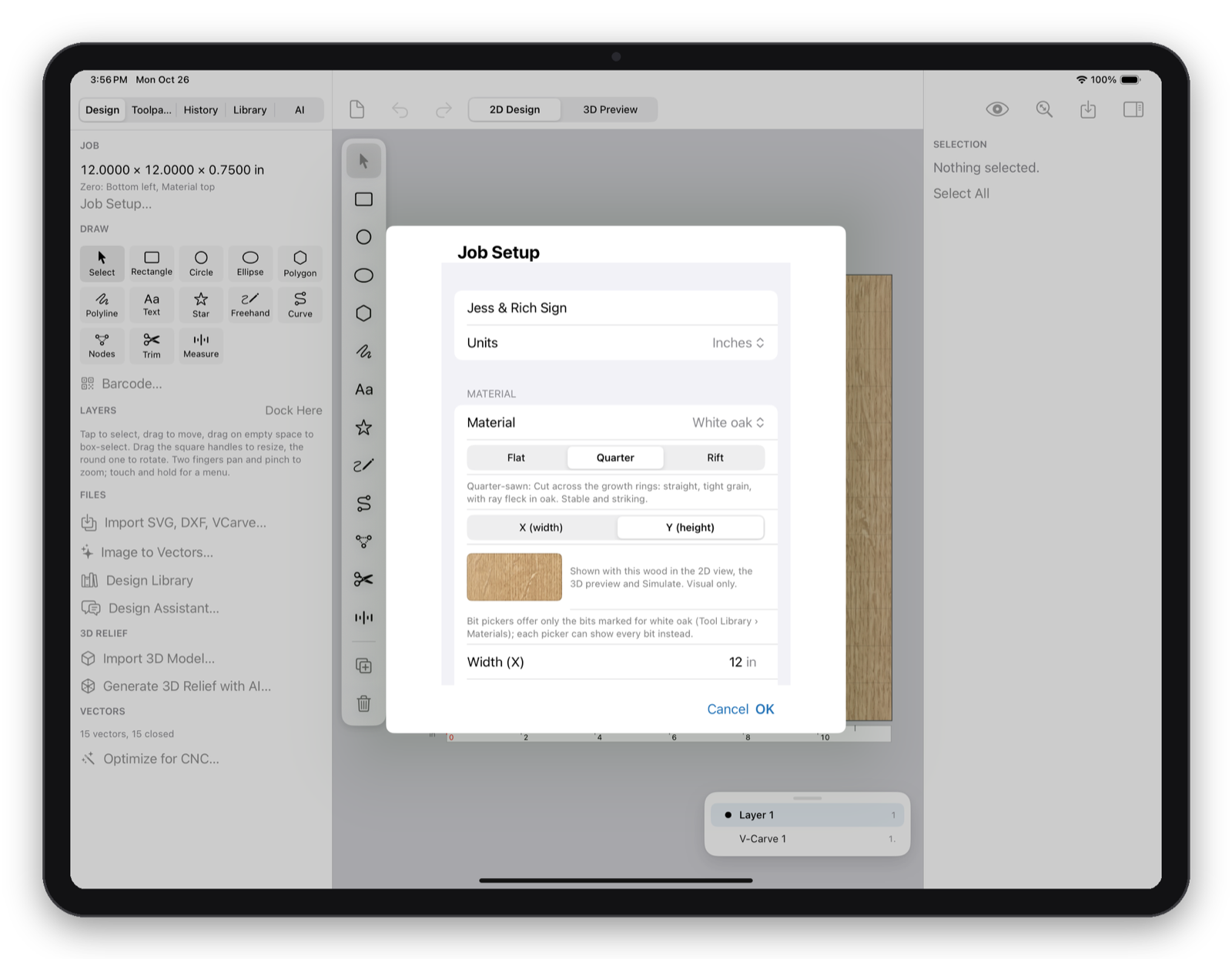
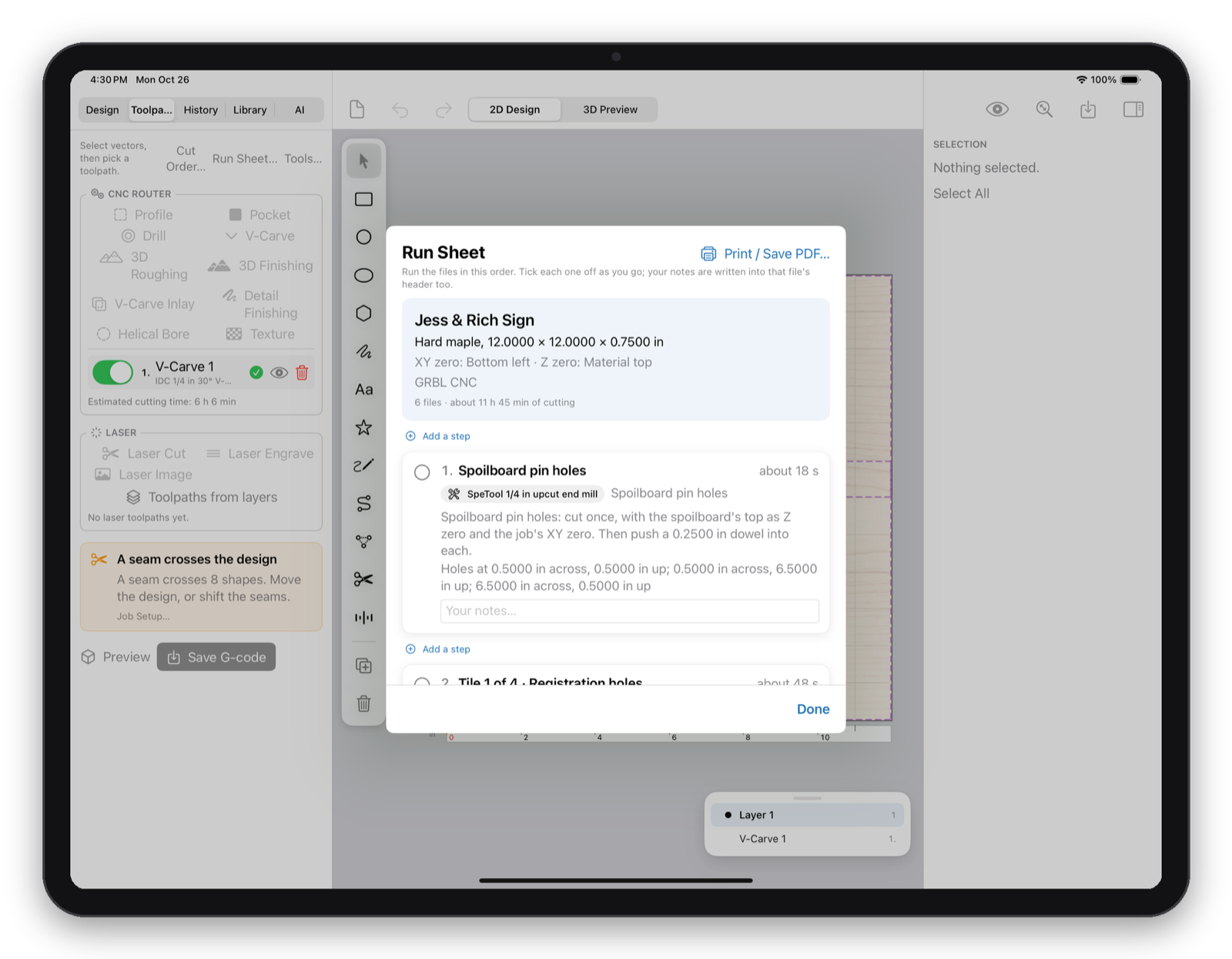
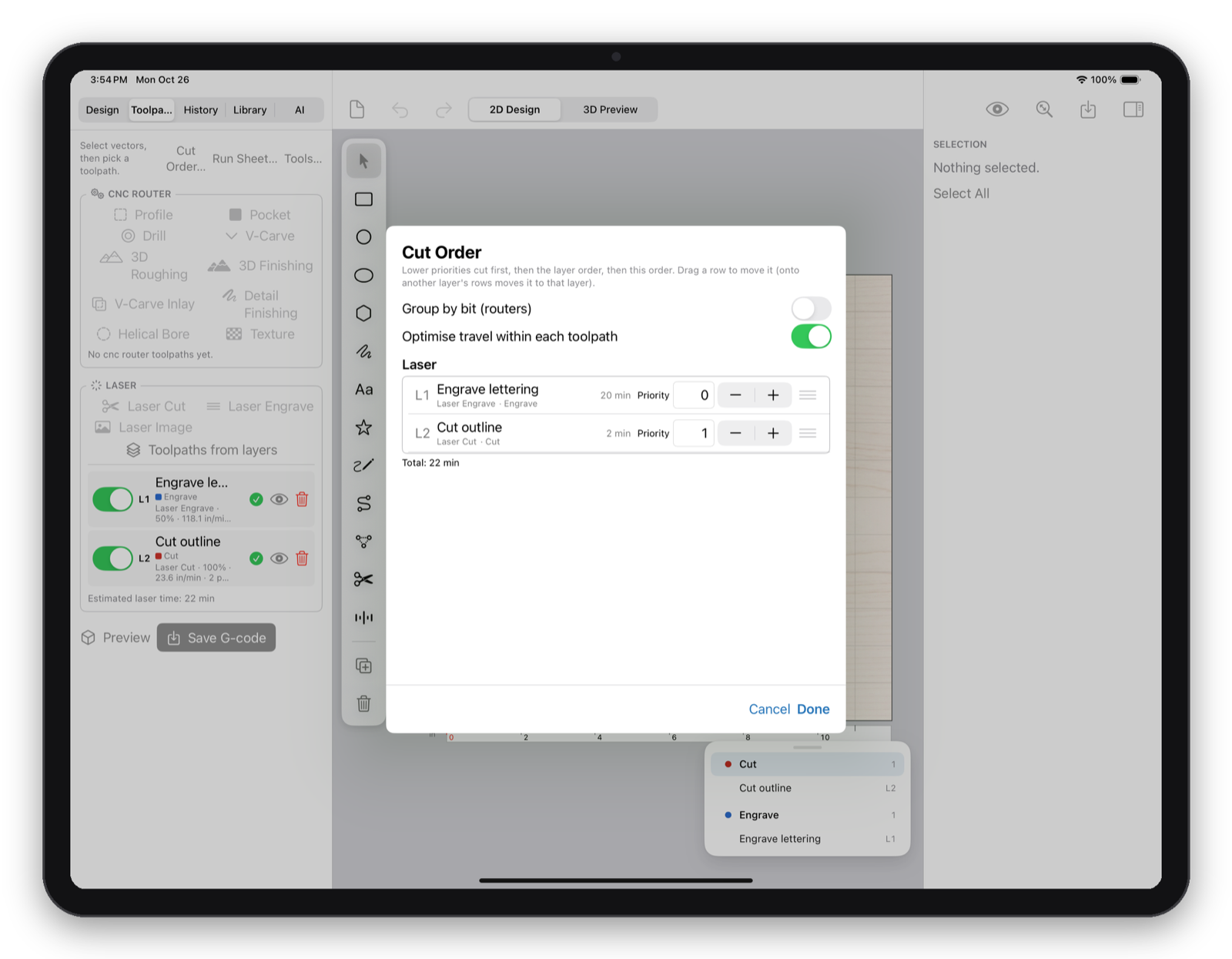
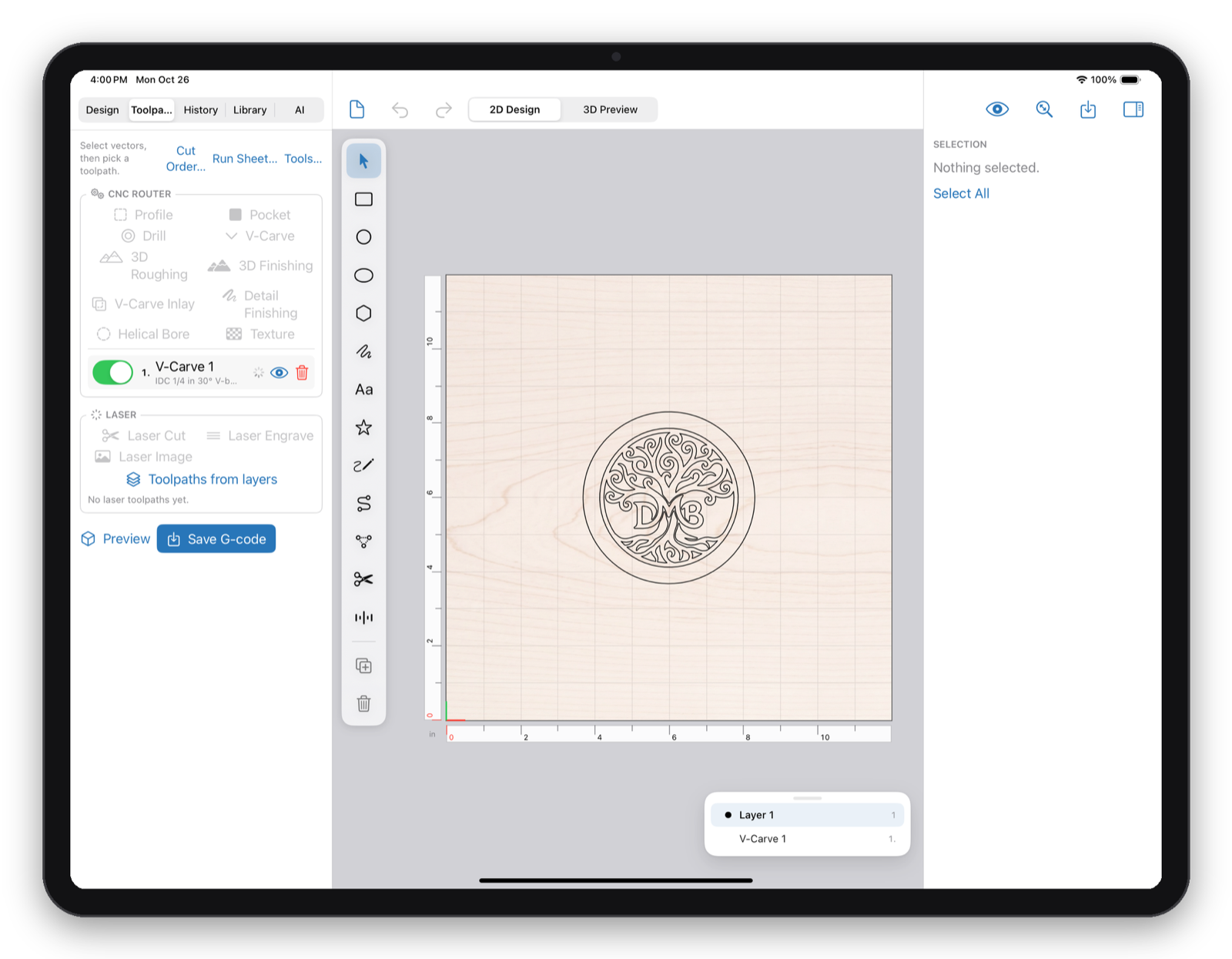
Machines
Makivo drives the machine directly from the same app you designed in, on an iPad or a Mac, and on Windows and Linux.
3018-class machines, Genmitsu, and other GRBL 1.1 controllers. Jog, set work zero, probe Z with a touch plate, and run with feed override.
Ortur, Sculpfun, Atomstack, Creality Falcon, Mecpow, and other GRBL lasers. Frame the job, set origin, and burn, with image modes and layer cut order.
HD520 and Piranha controllers. Makivo writes Shark .tap files with arcs and can drive the machine directly.
Plug in over USB-C on an iPad or a Mac, or over USB on Windows and Linux. Or put a Raspberry Pi running Makivo Laser Server next to the machine and connect over Wi-Fi.
Not sure about your machine? Email support with the make, model, and controller and we will tell you.
Pricing
No subscription, no feature tiers, no per-platform pricing. One licence follows your account onto any 3 devices you own.
Start here
Create a free account inside the app and every feature unlocks for 15 days: design, every toolpath, laser, 3D preview, Simulate, and machine control.
Perpetual licence
Buy inside Makivo when your trial ends. On the iPad, the purchase goes through the App Store.
Download Makivo 1.0.0
Released October 29, 2026. The iPad app is coming to the App Store. The Mac download is ready now, and Windows and Linux get the same app and the same licence.
The iPad app is coming to the App Store. iPadOS 18 or later; an M-series iPad for USB machine control, or any supported iPad over Wi-Fi through a Raspberry Pi. The app is free to install and the licence is an in-app purchase shared with your other devices.
App Store listing (available once approved)macOS 15 or later on Apple silicon (M1 or later). Signed and notarized by Apple, so it opens with no warning.
Native Apple silicon app. The 3D preview uses the Mac's GPU.
The same designs, toolpaths, and machine control. One licence covers these computers along with your iPad and Mac.
Windows 10 or Windows 11, 64-bit. Runs on the PC you already have, no upgrade required. The installer bundles everything it needs, so there is nothing else to install.
The 3D preview needs a GPU with Direct3D. In a virtual machine, turn on 3D acceleration.
64-bit x86. Ubuntu 24.04 or later for the .deb; Fedora or RHEL for the .rpm. OpenGL (Mesa) for the 3D preview.
sudo apt install ./Makivo-1.0.0-0.debsudo dnf install ./Makivo-1.0.0-0.rpmPackages are GPG-signed. The signing key and verification steps are below.
The Mac app is signed with an Apple Developer ID and notarized. Linux packages carry detached GPG signatures. Every file has a SHA-256 checksum.
Checksums (Mac, Linux, Windows via PowerShell)
curl -O https://makivo-downloads.s3.amazonaws.com/v1.0.0/SHA256SUMS.txt
shasum -a 256 -c SHA256SUMS.txt --ignore-missing

# Windows PowerShell
Get-FileHash .\Makivo-1.0.0-0.msi -Algorithm SHA256
Linux GPG signatures
curl -O https://makivo-downloads.s3.amazonaws.com/v1.0.0/makivo-linux-signing-key.asc
gpg --import makivo-linux-signing-key.asc
gpg --verify Makivo-1.0.0-0.deb.asc Makivo-1.0.0-0.deb
Key: Ingress Software (Makivo packages). Fingerprint 4B80 80ED 4AC7 2FC9 19DF 0A5D 0FAC 9C18 D3C9 2BDA.
| File | Size | SHA-256 |
|---|---|---|
| Makivo-macOS-1.0.0-0.dmg | 31.8 MB | dad85e735d332b60239c0faefa9e4031228868b9de2d46bdbb07d6fe324cb6a7 |
| Makivo-1.0.0-0.msi | 85.7 MB | f629c47a280ba6069b5c080faf2cbb28718c3a418d8e7783337c7b8ad27df2a9 |
| Makivo-1.0.0-0.deb (.asc) | 86.5 MB | 6f5c8b2778a4338c4aead203050aa03e381dfad4430cd3d0a5cf12d3a9495ad6 |
| Makivo-1.0.0-0.rpm (.asc) | 90.5 MB | dcc8d055eaf7d17e1d0bb6f23931c20c9c53a7dc3a101006cb5aa40f166564b9 |
Also available: SHA256SUMS.txt and the Linux signing key.
Questions
Makivo needs a free account, and every account gets a 15-day free trial with every feature. After the trial, a perpetual licence is a one-time $299 and covers 3 devices of any kind: iPad, Mac, Windows, or Linux. There is no subscription, and all version 1.x updates are included.
GRBL 1.1 routers such as 3018-class and Genmitsu machines, GRBL diode lasers such as Ortur, Sculpfun, Atomstack, Creality Falcon, and Mecpow, and the Next Wave Shark (HD520 and Piranha controllers). Connect over USB, or over Wi-Fi through a Raspberry Pi running Makivo Laser Server. Makivo also saves G-code and Shark .tap files for any other sender.
Yes. Makivo supports Windows 10 and Windows 11 on any 64-bit PC, so there is no need to buy a new computer. The installer bundles everything it needs. The 3D preview uses your graphics card, and most PCs from the last several years handle it without trouble.
Yes. Designs, toolpaths, previews, and machine control all run on your device. Makivo checks in with its licence server at launch and about once a day, and a device keeps working offline for up to 30 days between check-ins.
Yes. Makivo on the Mac is a native app built for Apple silicon (M1 or later) on macOS 15 or later, signed with an Apple Developer ID and notarized, so it opens with no warning. The Windows and Linux editions share the same features, files, and account.
No. The iPad app designs, toolpaths, previews, and runs the machine on its own. It is coming to the App Store. The same account and licence also works on your Mac, and on Windows or Linux.
Not today. Makivo is built for iPad and Mac, and the same app also ships for Windows and Linux.
The Design Assistant, AI artwork, AI reliefs, and toolpath suggestions are optional and use an AI provider key you supply, such as Google Gemini or OpenAI. Your key stays on your device, requests go straight to that provider, and nothing about Makivo requires AI to work.
Yes. Import SVG and DXF vectors, STL, OBJ, and 3MF models, photos, and project files and tool databases from other popular CAM software. Makivo opens the vectors and 2D toolpaths from those projects so you can keep working.
Purchases made directly from Ingress Software can be refunded in full within 14 days by emailing support. App Store purchases are refunded by Apple under Apple's rules.
Ready when you are
Download Makivo for iPad or Mac, create a free account, and take a job from the first idea to a running machine tonight. Windows and Linux run the same jobs. Questions about your setup? support@ingresssoftware.com